Case study 2 · Reporting automation
Federal Contracts Weekly: a scheduled pipeline that turns USAspending.gov into a Monday briefing
A Python command-line tool pulls public federal contract data every week and builds a one-page HTML and Excel report: new activity, contracts coming up for rebid, trends and top recipients.
Python · DuckDB + SQL · matplotlib · openpyxl · requests · pytest · GitHub Actions / Task Scheduler
Problem
The scenario: an IT services company in Florida bids on federal IT work. It needs to know what was awarded last week in its market, and which contracts end soon enough to bid on the rebid. That information is public on USAspending.gov, but as thousands of transaction rows, not as an answer anyone can read on a Monday morning.
What I built
- A command-line tool (
backfill,latest,run) that pages the public USAspending API politely, with retries, backoff and a cache of raw responses, and keeps the history in DuckDB. - Weekly reports for one configured market (5 NAICS codes, Florida): new contract actions, contracts expiring in 6 to 12 months, 12-week trends and top recipients.
- Each week's records are replaced in one step and reconciled, so corrected or rescinded actions cannot linger or count twice.
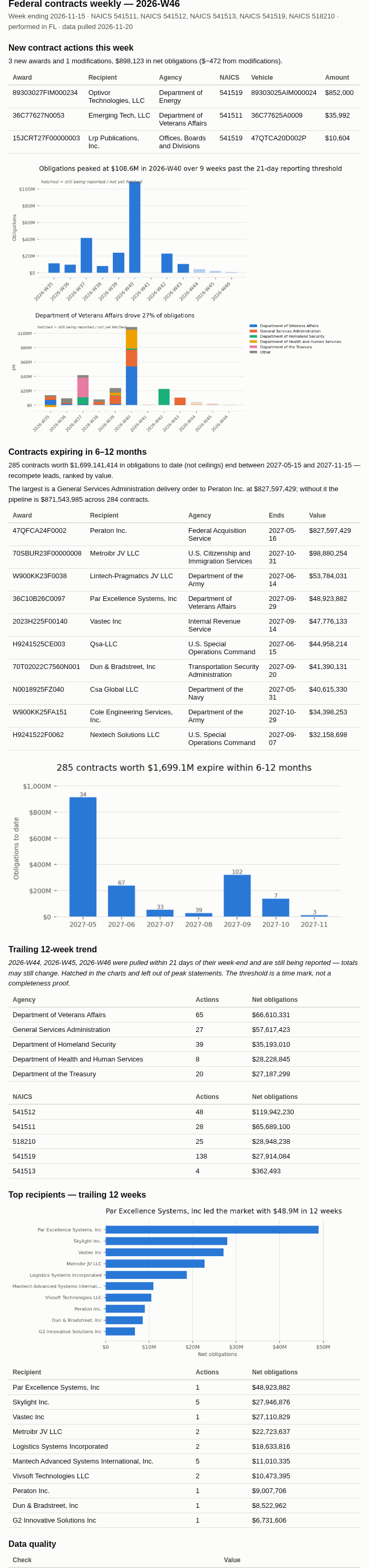
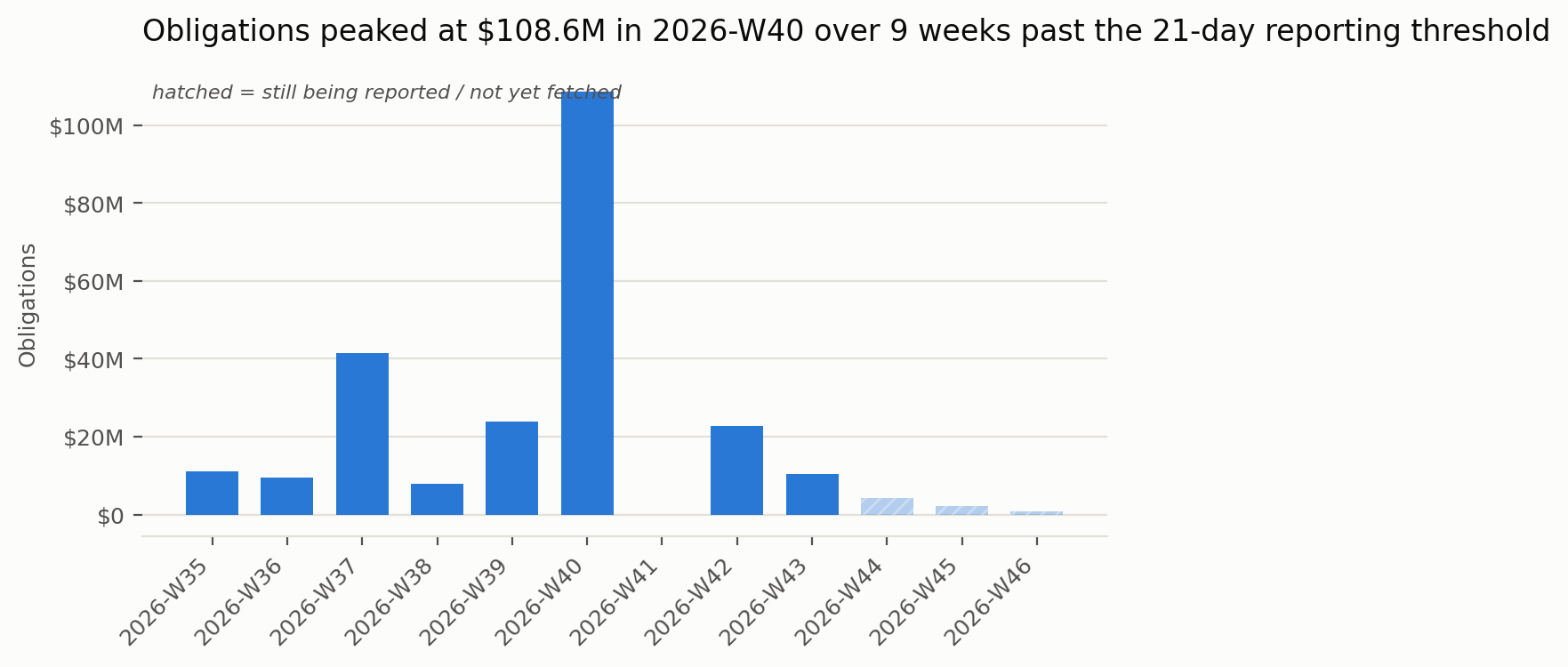
- Recent weeks that agencies are still reporting are marked "still being reported" in every chart and table, and are left out of any peak or drop claims.
- A data quality block on every report (row counts against the API's own counts, duplicates, negative obligations, pull dates), plus offline tests that recheck every published number.
Results (real data, pulled Nov 20, 2026)
- $242.9M net obligations across 243 contract actions in 12 weeks, peaking at $108.6M in 2026-W40 around the fiscal year end.
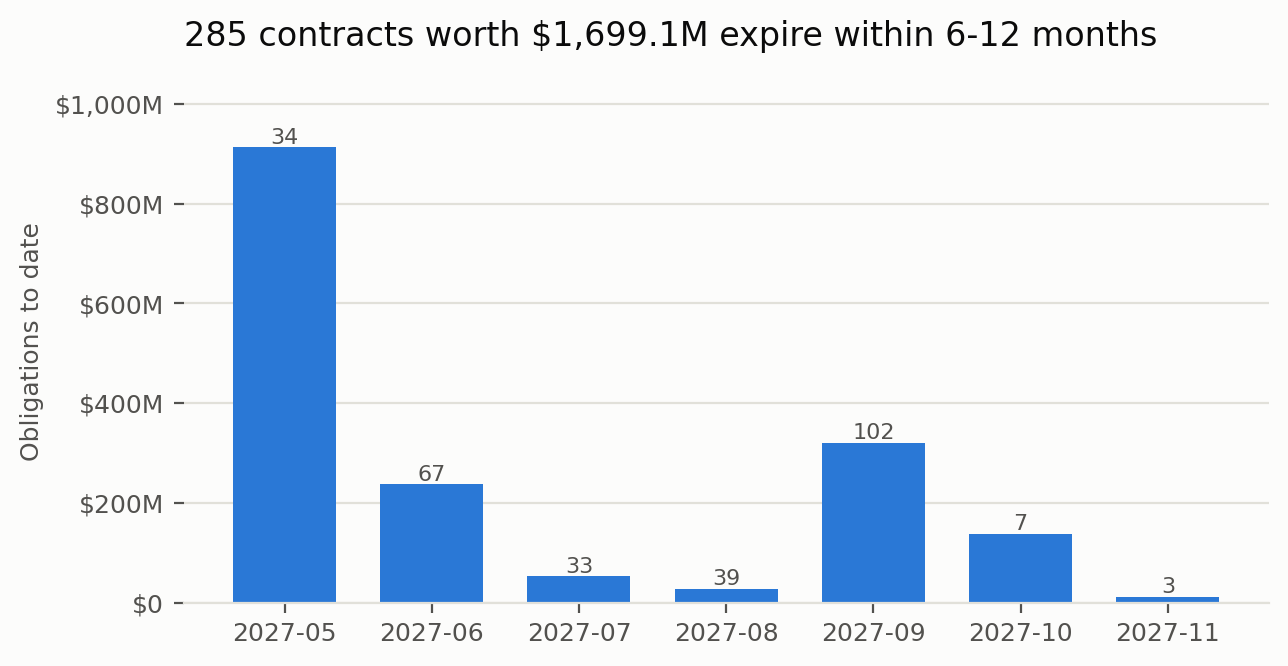
- 285 contracts worth $1.70B expire in the next 6 to 12 months: a ranked list of rebid leads.
- Weeks W44 to W46 are flagged "still being reported" instead of being read as a sudden drop in the market.
Links
Built with AI coding tools from my brief. I wrote the brief, made the design calls, and checked every number on this page against the project's results files.
Next: Month-end cleanup: invoice PDFs and sales exports into one audited Excel workbook →